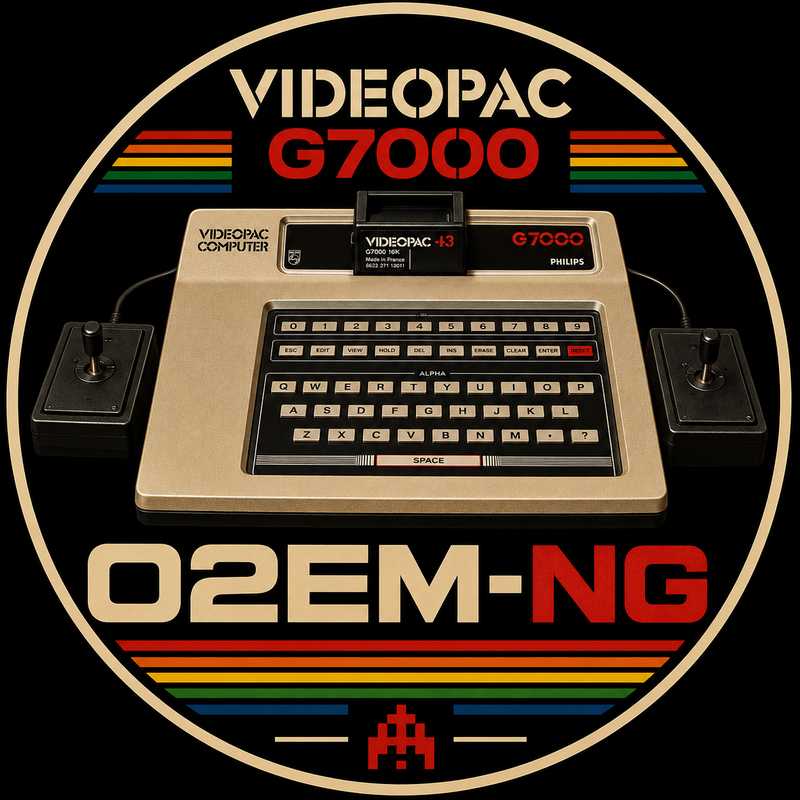
Philips Videopac G7000 / Magnavox Odyssey² Emulator
O2EM-NG is a modern SDL3-based continuation of the original O2EM emulator.
The goal of the project is to preserve the original O2EM emulation core while modernizing the platform around it with SDL3 video, audio, input, controller support, an integrated frontend, and a simpler living-room experience.
O2EM-NG is currently available as a public Beta for Windows x64.
Current version:
v0.30.0-beta
Current Features
- SDL3 video, audio, and event system
- Integrated Game Library and launcher
- Integrated Import Center
- SQLite-backed game database
- BIOS management
- ROM import
- JPG and PNG cover-art import
- PDF manual import and external manual opening
- Screenshot import
- Game Information display
- Favorites support
- Live media refresh
- Integrated Settings screen
- Persistent configuration through
o2em-ng.cfg - Fullscreen or windowed startup
- Region selection: Auto, PAL, and NTSC
- Original O2EM CRC-based compatibility behavior preserved in Auto mode
- PAL 50 FPS and NTSC 60 FPS video modes
- Keyboard and mouse support in the frontend
- Xbox-compatible controller support
- Two simultaneous physical controllers
- Controller navigation in the frontend and Settings screen
- In-game controller shortcuts
- In-game controller port switching
- Brief on-screen controller routing notifications
- Original O2EM CPU and VDC emulation core
- Working SDL3 game audio
- Playable commercial Videopac / Odyssey² games
- Two-player gameplay with physical controllers
- Windows x64 Release build
Current Status
O2EM-NG has reached Beta 3 of its public Windows x64 release.
The emulator is playable and has been tested with a growing collection of Philips Videopac G7000 and Magnavox Odyssey² games.
Confirmed playable games include:
- Gunfighter
- Atlantis
- Bowling-Basketball
- Munchkin
- Pickaxe Pete
- Skiing
- Spacemonster
- Speedway + Spin-out + Crypto-logic
- Cosmic Conflict
- Stone Sling
- Air-Sea War & Battle
- Electronic Billiards
- Frogger
- Golf
Additional titles have also been tested successfully.
Two-player gameplay has been successfully tested using two physical controllers simultaneously.
Gunfighter multiplayer has been confirmed working with video, sound, and controller input.
Bowling-Basketball has been tested successfully with the new controller port switching feature using a single physical controller.
The main known compatibility issue is currently Four in 1 Row, which remains under investigation.
Beta 3 focuses on the new Game Library, Import Center, game database, media handling, and continued community testing without breaking the current working game base.
Settings
The Settings screen is available directly from the frontend.
Current settings include:
- Startup display mode: Fullscreen / Windowed
- Region mode: Auto / PAL / NTSC
- Scanlines setting stored in configuration for future renderer integration
Settings are saved in:
o2em-ng.cfg
Region Modes
Auto preserves the original O2EM CRC-based compatibility behavior and is the recommended default for Beta testing.
PAL explicitly selects the PAL 50 FPS video mode.
NTSC explicitly selects the NTSC 60 FPS video mode.
External feedback from testers familiar with real Odyssey² NTSC behavior is especially welcome.
Controls
Frontend and Settings
Keyboard:
- Up / Down: Move selection
- Enter: Select or launch
- Esc: Return from Settings or exit the frontend
Controller:
- D-pad Up / Down: Move selection
- Left stick Up / Down: Move selection
- A: Select or launch
- B: Return from Settings or exit the frontend
In Game
Keyboard:
- Esc: Return to the frontend
- F5: Reset the emulated machine
Controller:
- D-pad / left stick: Joystick movement
- A: Fire
- Xbox B: Reset the emulated machine
- Xbox Back/View: Return to the frontend
- Xbox Y: Switch controller ports
Controller Port Switching
The original Philips Videopac G7000 / Magnavox Odyssey² hardware does not use one universal joystick port for every single-player game.
Depending on the game, the active player may use joystick port 1 or joystick port 2.
O2EM-NG preserves this original behavior.
Starting with v0.22.1-beta, users can press:
Xbox Y
during gameplay to switch physical controller routing between the two emulated joystick ports.
The emulator briefly displays:
CONTROLLER PORTS SWAPPED
or:
CONTROLLER PORTS NORMAL
This means a user with one physical controller can play single-player games regardless of which original joystick port the game expects.
For multiplayer games, two physical controllers remain fully supported.
The feature has been tested successfully with:
- Bowling-Basketball in single-player mode
- Gunfighter in two-player multiplayer mode
Required Files
O2EM-NG does not include BIOS files, commercial game ROMs, copyrighted box artwork, or commercial game manuals.
Users must provide compatible files themselves.
Local content folders:
BIOS/ ROMS/ BOXART/ MANUALS/ SCREENSHOTS/ GAMEDATA/ DOCS/